Borrow a License
Modernising the front and back of a legacy workflow



Intro
Autodesk offers large-scale businesses an option for Network licensing. This means that when employees connect to their company network, a pool of licenses are available.
Much like a library book, users can borrow a network license from this pool to use Autodesk products off-site.
With the need to deprecate the technology supporting license borrowing and returning workflows, this project addressed 3 problems with 1 workflow re-design.
Problems




For the Licensing Team
We need to move away from AngularJS towards React for more robust and secure workflows. We also want seamless and consistent-looking dialogs.




For Customers
Borrowing involves calling multiple API's, which means a different dialog UI for every step of the way. Network License users have had patchwork experiences for years!




For XD Leadership
We're stepping into the future with a new design system! Licensing dialogs need a revamp as soon as the underlying tech supporting UI allows for it.
Let's go with the (work)flow
The Product Access team uses multiple terms that sound the same - but mean totally different things!
Before I could modernise workflows, I needed to understand the difference between Network Licensing vs. Borrowing-and-Returning a Network License, and the errors involved.


Main Challenges
1. Product Access team wanted to complete new workflows by the end of 2024, but the new design system was a work-in-progress!
I initiated contact with the design system team and had an exclusive peek into unpublished Figma components and re-designed Product Access dialogs to mimic incoming tokens.
2. Even with preliminary dialog UI, engineers revealed that the same limitations from legacy workflows would apply.
I partnered with engineers to understand limitations:
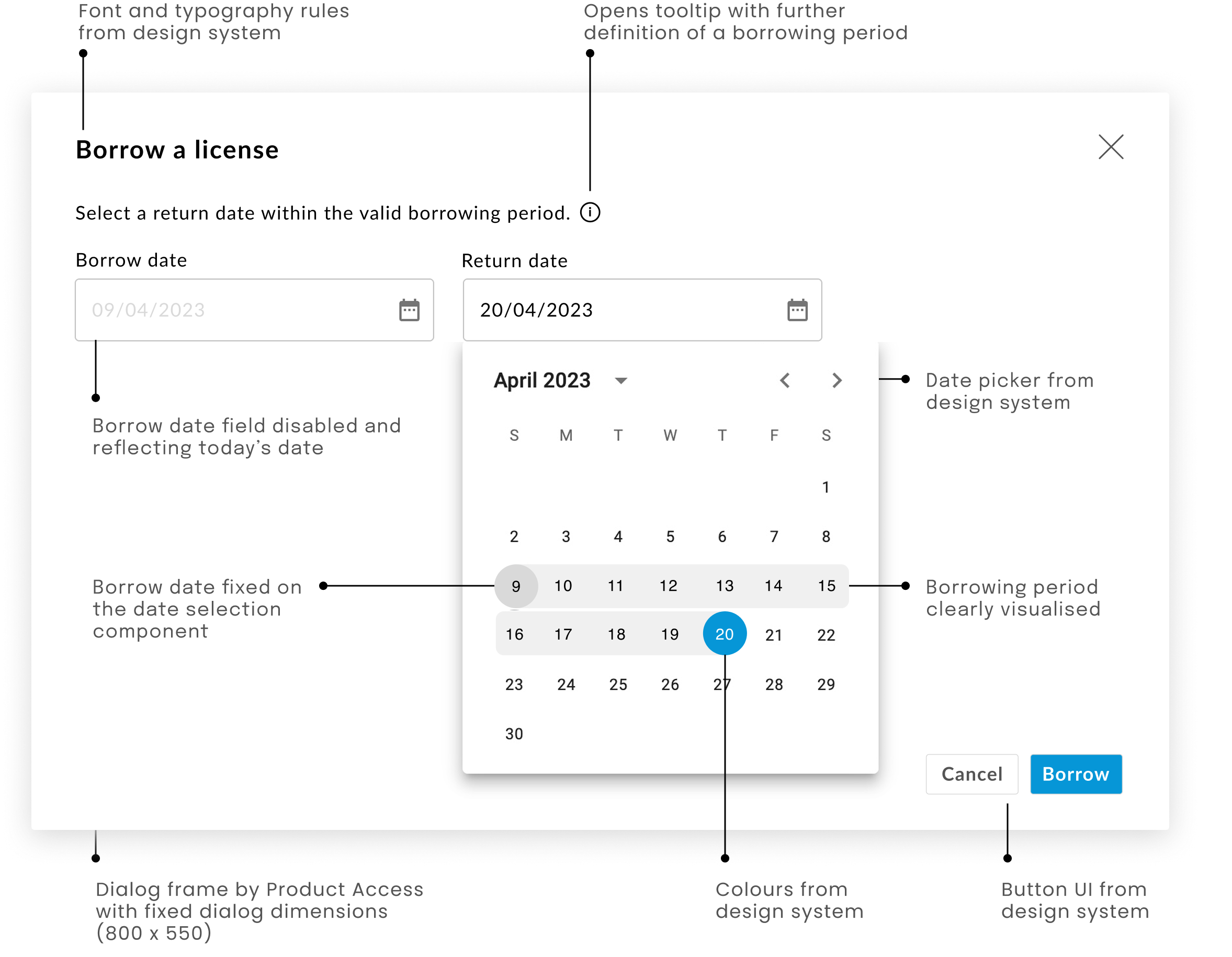
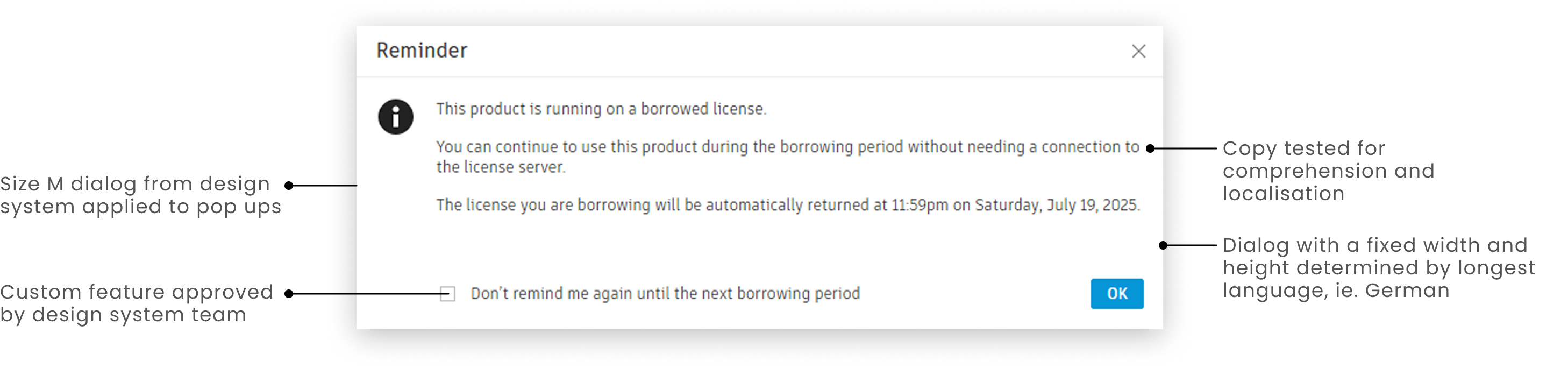
- New design system dialogs came in S, M and L, but Product Access dialogs have fixed dimensions to support branding
- Only return date is editable – not the borrow start date
- The borrow start date is always today's date by default
- Users with enlarged text experience a scroll feature
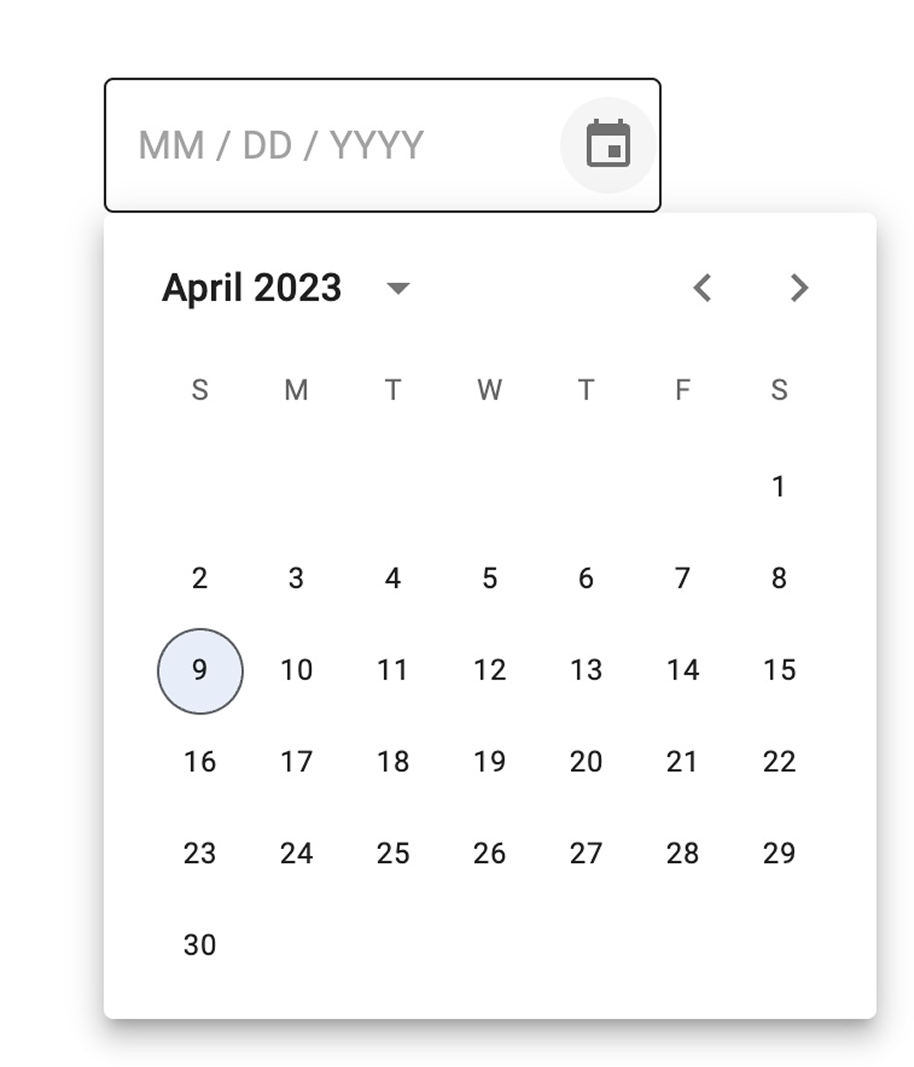
3. The new design system offers single and multiple date selection options. But which was best for Network license users with learned behaviour to select a single date?
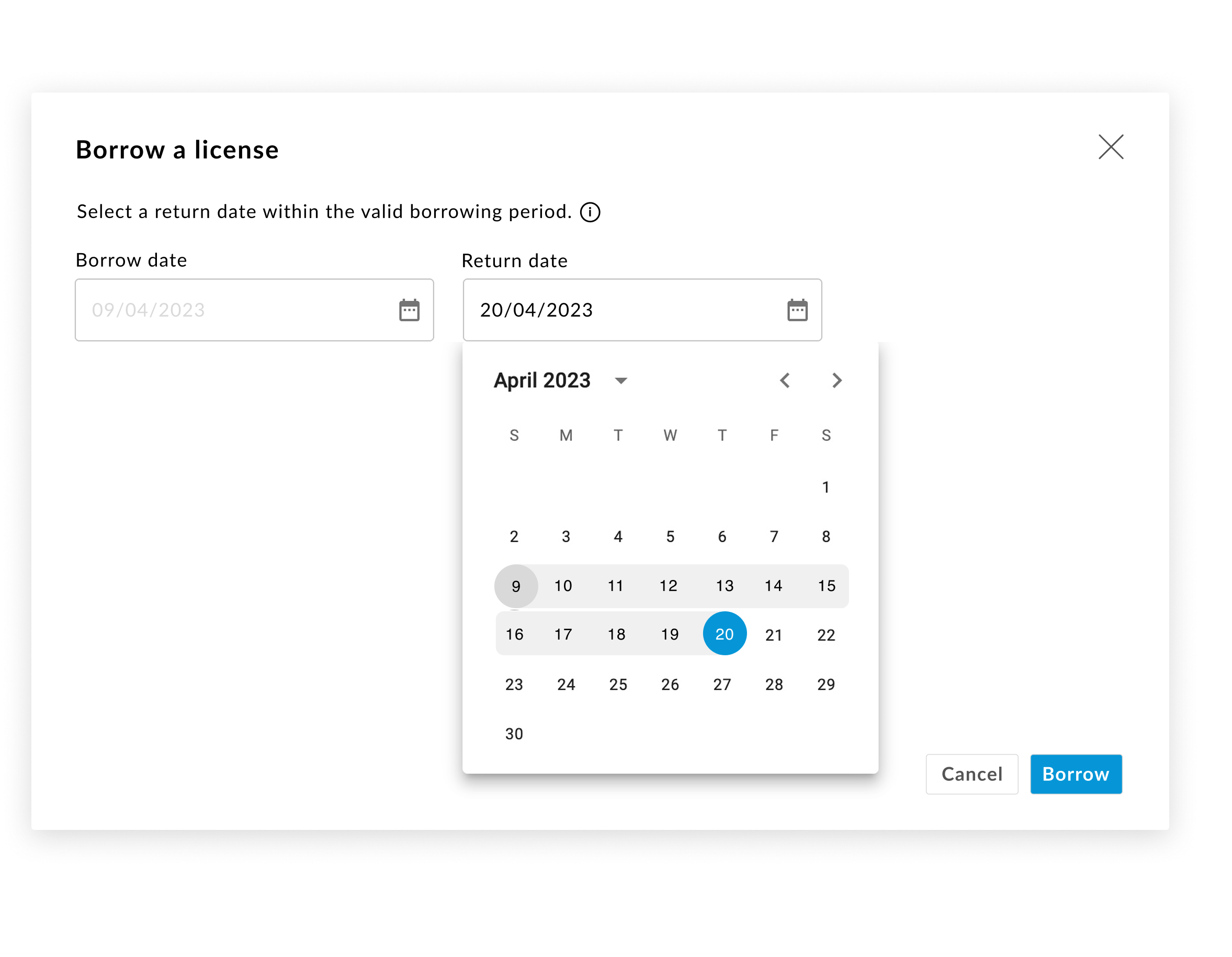
Considering limitations above, I worked with engineers to customise a date range picker. This way users are still required to select a single date, but they have more visual feedback confirming the period.

Impact
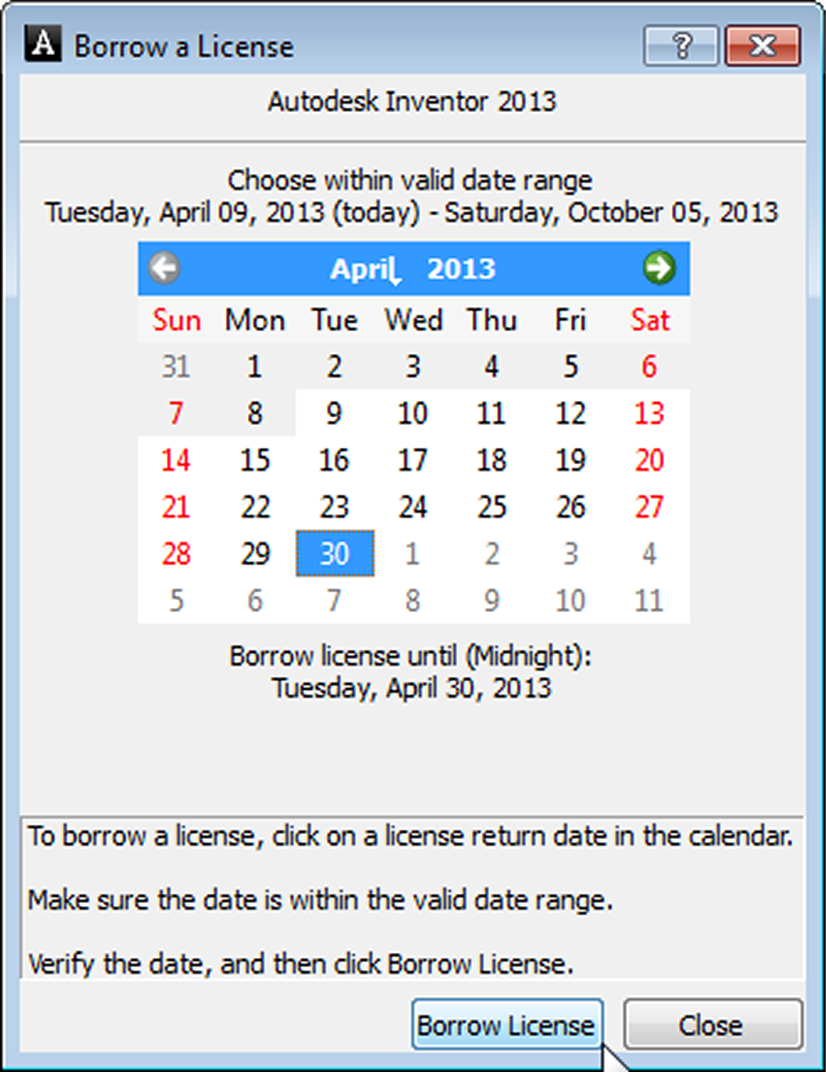
Before (2005)
- An unintuitive date-selection process that long-term users learned to use over time
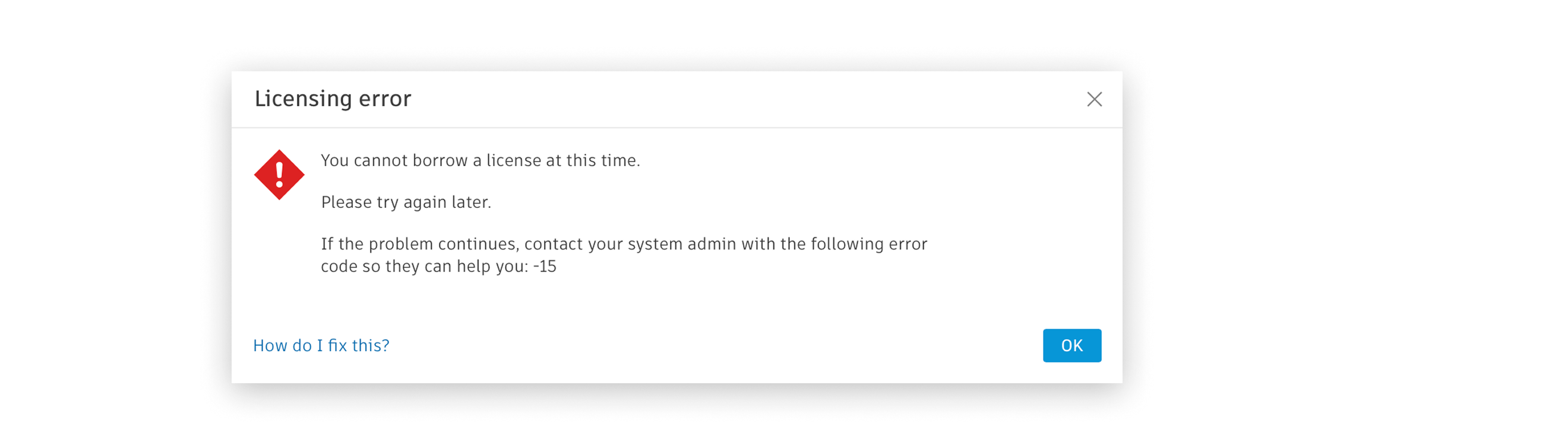
- Vague error messages with cryptic codes and no direct solutions
- No understanding about users' attitudes and behaviours towards legacy workflows
- Outdated dialogs that differ in behaviour and appearance to adjacent Autodesk experiences
After (2026)
- Clear and secure React-based workflows that old and new users understand
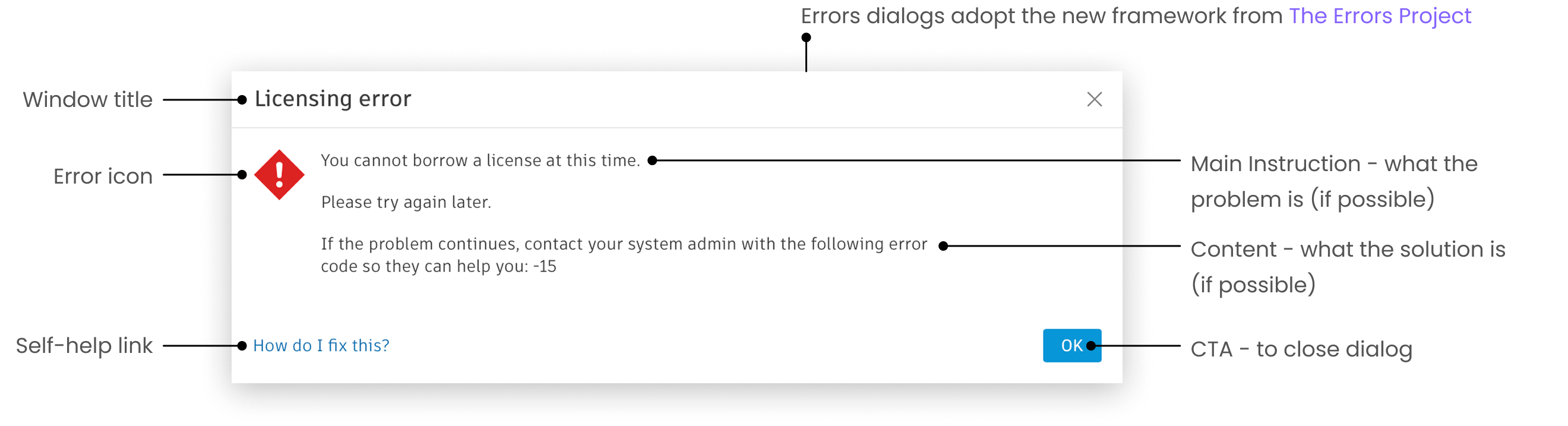
- New errors framework applied — see The Errors Project — so that errors have explicit solutions and self-service paths.
- Dialog designs updated to be visually consistent with new Autodesk design system
- User-validated workflows and messages rolled out with confidence
- Dialogs built with click-through and dwell time analytics to visualise user patterns on an internal dashboard